How to Use Sound Optimization on Galaxy Buds3
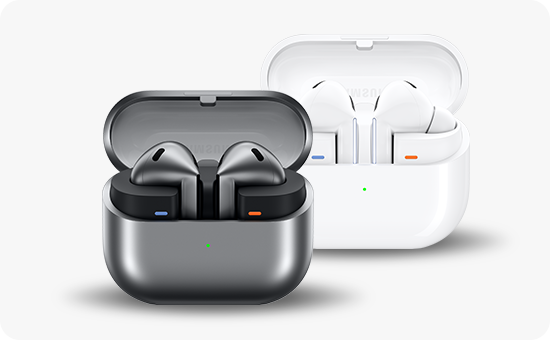
How does sound optimization work on Galaxy Buds3 and Buds3 Pro?
The sound on Galaxy Buds3 and Buds3 Pro is optimized using adaptive EQ and Active Noise Cancellation (ANC) powered by AI algorithms. These features continuously monitor your earbud fit, ambient noise, and listening conditions to deliver a personalized audio experience.
1. How does adaptive EQ improve sound quality?
The adaptive EQ feature uses AI to analyze how well the earbuds fit in your ears and adjusts the equalization settings in real time. This ensures consistent sound quality regardless of how tightly or loosely you wear the earbuds.
- Real-time monitoring via internal and external microphones detects sound leakage or fit issues.
- The AI dynamically adjusts bass, mids, and treble to maintain optimal audio performance.
- Works seamlessly across music, calls, and media playback for a balanced listening experience.
2. How does AI-powered ANC enhance noise cancellation?
The Galaxy Buds3 and Buds3 Pro use AI-driven ANC to block out background noise while preserving voice clarity during calls or conversations. The system analyzes ambient sound patterns and adapts to changing environments like offices, public transport, or outdoor spaces.
- External microphones capture surrounding noise for precise ANC tuning.
- Internal microphones monitor sound inside the ear canal to optimize noise reduction.
- Adaptive ANC adjusts automatically when you switch between indoor and outdoor environments.
3. Why does ear fit affect sound optimization?
Proper ear fit is essential for effective sound optimization. If the earbuds are worn too loosely, sound leakage can reduce bass response and compromise ANC performance. The AI detects fit issues and compensates by adjusting EQ and ANC settings to maintain audio quality.
4. Supported Samsung Galaxy devices
The adaptive EQ and AI-powered ANC features are fully compatible with:
- Galaxy Buds3 and Galaxy Buds3 Pro
- Galaxy smartphones running One UI 6.0 or later (e.g., Galaxy S24, Galaxy Z Fold, Galaxy Z Flip)
5. Additional things to check
- Ensure your earbuds are clean and free from debris that could affect fit.
- Update your Galaxy Buds3 firmware regularly for the latest sound optimization improvements.
- Use the Samsung Wearable app to customize EQ settings manually if desired.
Related Samsung support topics
Thank you for your feedback!
Please answer all questions.