Why Does My Galaxy Z Fold6 or Z Flip6 Alarm Ring in Vibrate Mode?
Why Does the Alarm Sound Keep Occurring in 'Vibrate' Mode Even During Calls on the Galaxy Z Flip6 and Galaxy Z Fold6?
The alarm sound continues during calls on Galaxy Z Flip6 and Galaxy Z Fold6 in vibrate mode because of a design change in One UI 6.1.1, which ensures you don't miss important alarms or timers. The persistent beep will stop only after you dismiss the notification.
1. Why the Alarm Sound Persists During Calls
Starting with One UI 6.1.1, Samsung introduced a new feature to prevent missed alarms and timers. This means that:
- The alarm or timer notification will continue to play a beep sound until dismissed, even during active calls.
- This behavior occurs regardless of whether your device is set to vibrate or silent mode.
2. How to Stop the Alarm Sound During a Call
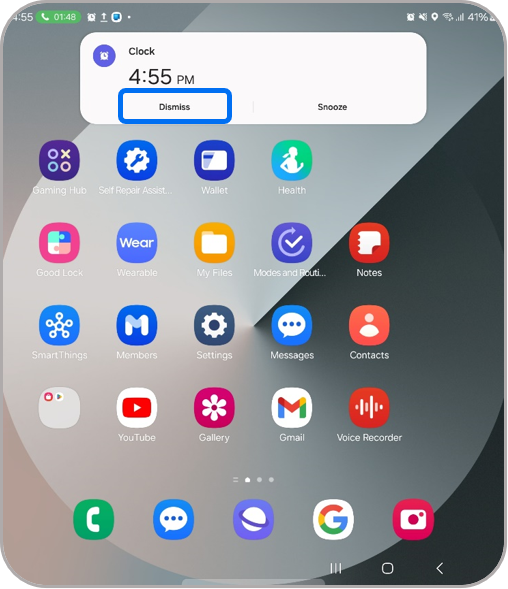
- During a call, look for the alarm or timer notification pop-up on your screen.
- Tap the 'Dismiss' button on the notification to stop the beeping sound.
3. Supported Samsung Galaxy Devices
This feature applies to the following devices running One UI 6.1.1 or later:
- Galaxy Z Flip6
- Galaxy Z Fold6
4. Additional Things to Check
If the alarm sound persists unexpectedly, consider these troubleshooting steps:
- Ensure your device is updated to the latest One UI version.
- Check if the alarm or timer was set correctly before the call started.
5. Related Samsung Support Topics
Thank you for your feedback!
Please answer all questions.