Why Is Photo Location Removed on Galaxy Z Fold6 and Z Flip6?
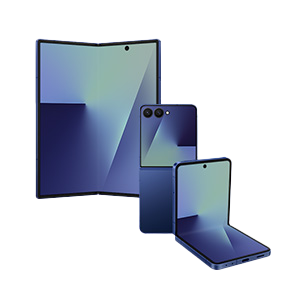
Why is location information removed when sharing pictures on Galaxy Z Fold6 and Flip6?
Location data is automatically removed from shared images on Samsung Galaxy Z Fold6 and Flip6 when the 'Maximum restrictions' feature in Auto Blocker is enabled. This setting activates the 'Remove location from shared images' option in the Messages app, which strips GPS metadata from photos before sending them to protect privacy.
1. Why does this happen?
When 'Maximum restrictions' is turned on in the Auto Blocker menu, it enforces strict privacy controls across apps, including the Messages app. One such control is the automatic removal of location information (EXIF data) from images shared via messages. This prevents recipients from identifying where the photo was taken.
- This feature is designed to enhance user privacy by default.
- It applies to all images shared through the Messages app when restrictions are active.
2. How to stop location data from being removed
- Open the Settings app on your Samsung Galaxy Z Fold6 or Flip6.
- Go to Security and privacy > Auto Blocker.
- Turn off the Maximum restrictions toggle.
- Open the Messages app.
- Tap the menu icon (⁝) > Settings > More settings.
- Disable the Remove location from shared images option.
3. Additional things to check
- Ensure your device is running the latest software version. Location handling features may vary by firmware.
- Some carriers or regions may have additional privacy settings that affect location data in shared media.
- Third-party messaging apps may have separate settings for handling EXIF data.
4. Supported Samsung Galaxy devices
This behavior applies to:
- Galaxy Z Fold6
- Galaxy Z Flip6
- Galaxy S24 series
- Galaxy S23 series
- Galaxy A series (models with Auto Blocker)
5. When location removal may still occur
Even after disabling the setting, location data might be stripped if:
- The recipient's device or messaging platform automatically removes EXIF data.
- You're using a third-party app that enforces privacy filters.
- The image was edited or processed by another app before sharing.
Related Samsung support topics
Thank you for your feedback!
Please answer all questions.