How to fix no sound from a Samsung soundbar
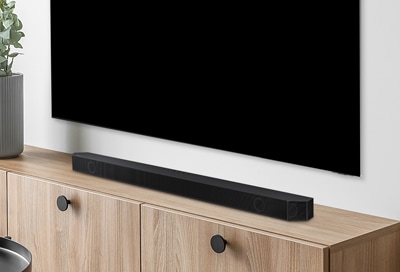
If your Samsung Soundbar has no sound, the issue could stem from incorrect source settings, loose connections, firmware updates, or TV sound output misconfigurations. Follow these steps to resolve the problem efficiently.
1. Why is there no sound from my Samsung Soundbar?
No sound from your Samsung Soundbar can occur due to several reasons:
- The soundbar is not set to the correct input source.
- The HDMI cable is not properly connected or is defective.
- The TV's sound output is set to TV speakers instead of the soundbar.
- The soundbar's firmware needs updating.
- External devices connected to the TV are causing interference.
2. How to Fix No Sound from Samsung Soundbar
- Check the soundbar's input source. Press the Multi Function/Source button on the soundbar or the Source button on the remote control to select the correct input (e.g., "D.IN" or "HDMI").
- Ensure the HDMI cable is securely connected between the TV and soundbar. If the cable is damaged, replace it.
- Verify the TV's sound output is set to the soundbar. On Samsung TVs, go to Settings > All Settings > Sound > Sound Output and select the connected soundbar.
- Update the soundbar's firmware. Connect the soundbar to Wi-Fi and check for updates in the settings menu.
- Disable external device interference. Disconnect external devices temporarily and restart the TV and soundbar.
- Enable eARC if supported. On Samsung TVs, go to Settings > All Settings > Sound > Expert Settings > HDMI-eARC Mode and select Auto.
3. Additional Things to Check
- Ensure the TV and soundbar are connected to the same Wi-Fi network for firmware updates.
- Avoid placing the soundbar near devices that cause radio interference, such as microwaves or wireless routers.
- If using Bluetooth, ensure the soundbar is paired correctly. Use the default PIN 0000 if prompted.
4. Supported Samsung Soundbar Models
These steps apply to most Samsung Soundbar models, including the Q Series, HW-Q800A, HW-Q950A, and HW-S60A. Refer to your user manual for model-specific details.
5. Related Samsung Support Topics
Thank you for your feedback!
Please answer all questions.