Use Ambient Mode on your 2024 Samsung Smart TV
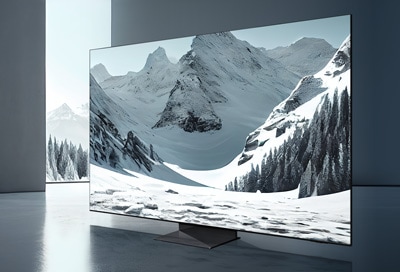
Discover how to activate and customize Ambient Mode on your 2024 Samsung Smart TV. Learn about features like My Album, Cinemagraph, Mood, and more.
How to Use Ambient Mode on Your 2024 Samsung Smart TV
1. What Is Ambient Mode?
Ambient Mode on your 2024 Samsung Smart TV transforms your screen into a customizable digital canvas when not in use. It allows you to display curated art, personal photos, real-time information, and more, enhancing your living space with style and functionality.
2. How to Access Ambient Mode
- Press the Home button on your Samsung TV remote.
- Navigate to the left side of the home screen and select Ambient Mode.
- Choose from various categories such as Special Edition, My Album, Mood, Relaxation, and more.
3. Features of Ambient Mode
- Special Edition: Enjoy creative art and interior design content from renowned artists and designers.
- Cinemagraph: Add looping animations to specific parts of your photos.
- My Album: Display your personal photos with customizable frame styles via the SmartThings app.
- Q Collection: Exclusive content for Samsung QLED TVs.
- Mood: Set the ambiance to match your current mood.
- Relaxation: Enjoy calming nature-inspired content.
- Décor: Enhance your space with nature scenes, interior designs, and family themes.
- Info: Display real-time information like weather, time, and news.
- Artworks: View professionally curated photography collections.
- Background Theme: Blend your TV into your living space with stylish themes.
- Routine: Create or enjoy pre-designed routines via the SmartThings app.
4. How to Add Personal Photos Using SmartThings App
- Ensure your Samsung Smart TV is connected to the SmartThings app.
- Open the SmartThings app on your phone.
- Select your TV and choose Ambient Mode settings.
- Upload your photos and customize frame styles for My Album.
5. Customizing Ambient Mode Settings
- Navigate to the bottom of the Ambient Mode screen.
- Adjust settings like Auto Brightness, Sleep After, and Reset My Album.
- Use the Edit option to add effects like background or shadow to your content.
6. Supported Samsung Smart TV Models
Ambient Mode is available on 2024 Samsung Smart TV models, including QLED, Neo QLED, and Micro LED series. Ensure your TV is updated to the latest software version for optimal performance.
7. Related Samsung Support Topics
Thank you for your feedback!
Please answer all questions.