Check Battery on Buds3 & Buds3 Pro
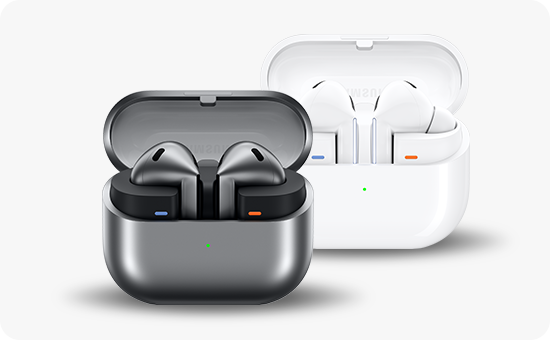
How to Check Battery Levels on Samsung Galaxy Buds 3 and Buds 3 Pro?
To check the battery levels on your Samsung Galaxy Buds 3 or Buds 3 Pro, you can use the LED indicators on the charging case or the Galaxy Wearable app for detailed battery status. This guide explains both methods to ensure you always know your earbuds' charge status.
1. How to Check Battery Levels Using LED Indicators
When you connect your earbuds to the charging case, the LED indicator lights up to show the current battery status:
- Green Light: Indicates that the earbuds and case are fully charged.
- Yellow Light: Shows that the battery level is between 30% and 60%.
- Red Light: Indicates that the earbuds or case are currently charging.
- Flashing Red Light: Signals a charging error. Reconnect the earbuds and case. If the issue persists, contact a Samsung Service Center for assistance.
2. How to Check Battery Levels Using the Galaxy Wearable App
For more detailed battery information, you can use the Galaxy Wearable app on your Samsung Galaxy device:
- Connect your Galaxy Buds 3 or Buds 3 Pro to your mobile device via Bluetooth.
- Open the Galaxy Wearable app on your device.
- Navigate to the earbuds' settings to view the battery levels of both the earbuds and the charging case.
- The Galaxy Wearable app provides real-time battery status for both the earbuds and the case, helping you manage charging efficiently.
3. Additional Things to Check
If you're experiencing issues with battery monitoring, consider the following:
- Ensure your earbuds and device are connected properly via Bluetooth.
- Make sure the Galaxy Wearable app is updated to the latest version.
- Restart your earbuds and mobile device if the battery status doesn't update correctly.
4. Supported Samsung Galaxy Devices
The Galaxy Wearable app is compatible with most Samsung Galaxy devices, including the Galaxy S24, Galaxy S25, Galaxy S26, Galaxy Z Fold, Galaxy Z Flip, and Galaxy A series. Ensure your device runs the latest software version for optimal compatibility.
5. Why the Battery Status May Not Update
Battery status issues can occur due to:
- A weak or unstable Bluetooth connection between your earbuds and device.
- Outdated firmware on your Galaxy Buds 3 or Buds 3 Pro.
- Software bugs in the Galaxy Wearable app or your device's operating system.
Related Samsung Support Topics
Thank you for your feedback!
Please answer all questions.